Your Wingman, in every AI tab
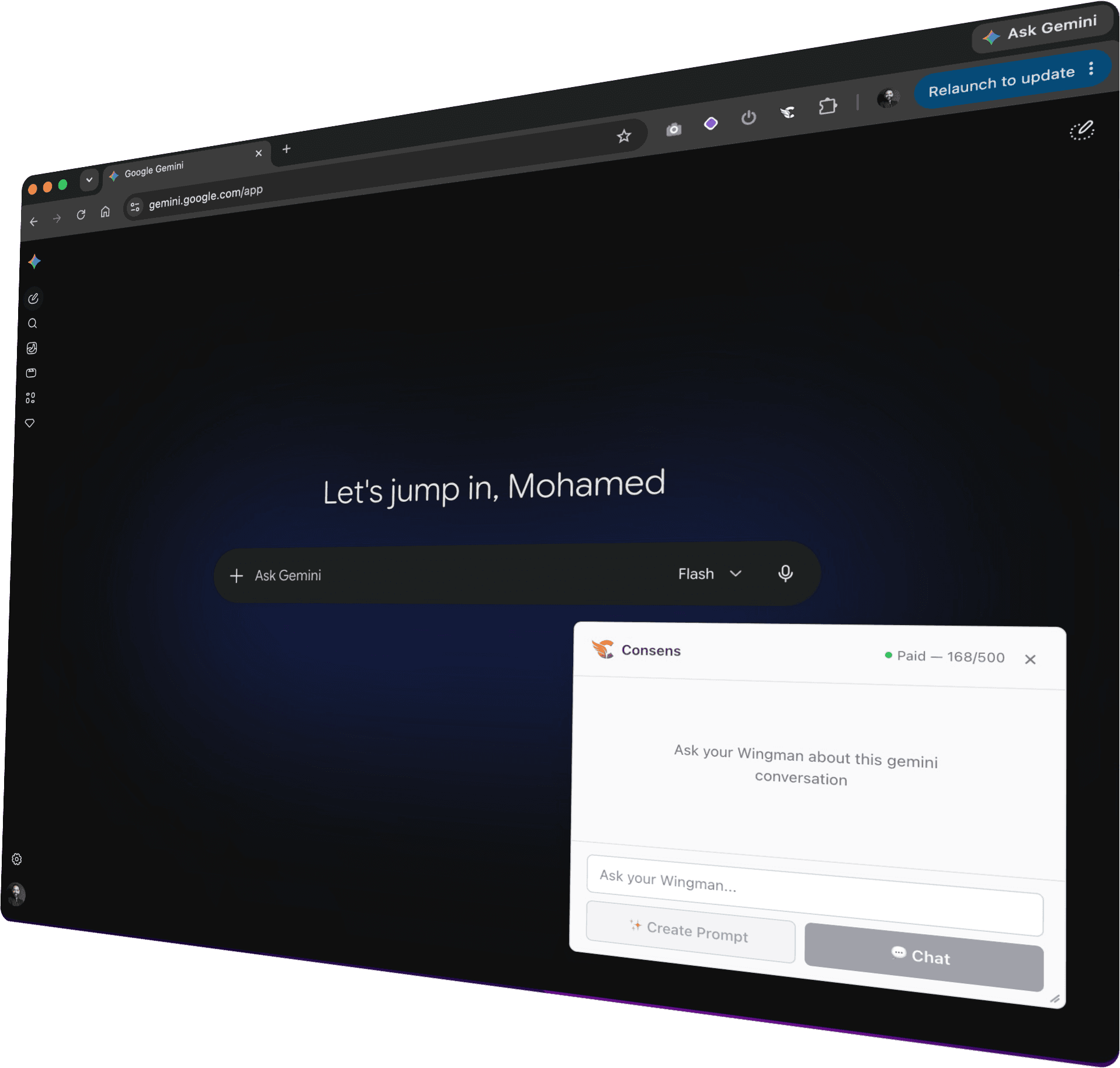
The Consens extension rides along in ChatGPT, Claude, DeepSeek, and more. Ask Wingman side questions to keep your main thread uncluttered, or have it draft professional, ready-to-paste prompts based on your context.
Free to install. Works with your Consens account.
Up and running in a minute
Install in seconds
Add Consens to Chrome and sign in with your account. Nothing to configure, nothing to learn.
Open your AI tool
Wingman appears right on the page of any platform you've enabled — no tab-switching, no copy-paste shuttle.
Summon your Wingman
Ask side questions without cluttering your chat history, or let it draft professional, ready-to-paste prompts directly from your thread's context.
How to use the extension
Learn how to get the most out of Consens Wingman in your daily workflow.
Works where you already work
Wingman follows you across the AI platforms your team already uses — and you choose exactly which sites it runs on.
More than a copy button
Keep Chats Clean
Need to ask a side question? Wingman reads the conversation and answers you directly, keeping your main thread perfectly focused and free of noise.
Professional Prompts
Wingman analyzes your context to draft highly effective, professional prompts. One click puts the perfect instruction on your clipboard, ready to paste.
Context-Aware Assistance
Wingman reads the room — the page, the active thread, the task at hand — so it always understands what you're trying to achieve without manual setup.
Private by design
Wingman is built on a simple assumption: your conversations are none of our business.
One login, yours alone
Sign in once with your Consens account — the same one you use on the web app. Your session stays on your device and is only ever used to talk to Consens, never shared with the AI sites you visit.
Nothing at install
Installing Wingman grants zero access to any site. It only runs on platforms you explicitly enable — and you can switch any of them off again in one click.
On-device by default
While you browse, your conversation context lives in your browser's local storage. Nothing is transmitted in the background.
Sent only when you ask
Chat context leaves your device only in the moment you ask Wingman for help — and only from the conversation you're actually in.
Never stored
Your conversations are processed in transit to generate a reply, then gone. We keep no copies — not in logs, not in a database.
Zero-data-retention AI
Every request reaches the AI model providers with zero-data-retention enforced: your data isn't stored and is never used for training.
The fine print, in plain language — read our privacy policy.
One allowance, everywhere you work
The extension is free. Wingman usage draws on the same request allowance as the Consens app — start free, upgrade when your team is ready.
Not ready to subscribe? Top up as you go.
One-time request packs — no subscription needed. They never expire and roll over month to month.
Get in Touch

Bring your Wingman along.
Install Consens for Chrome and stop leaving your best thinking behind in scattered tabs.